Song Dynamics Shows the BPM, Key and Loudness of Any Song
Song Dynamics measures a song's tempo, key and peak loudness from the mic while Song IQ names it.
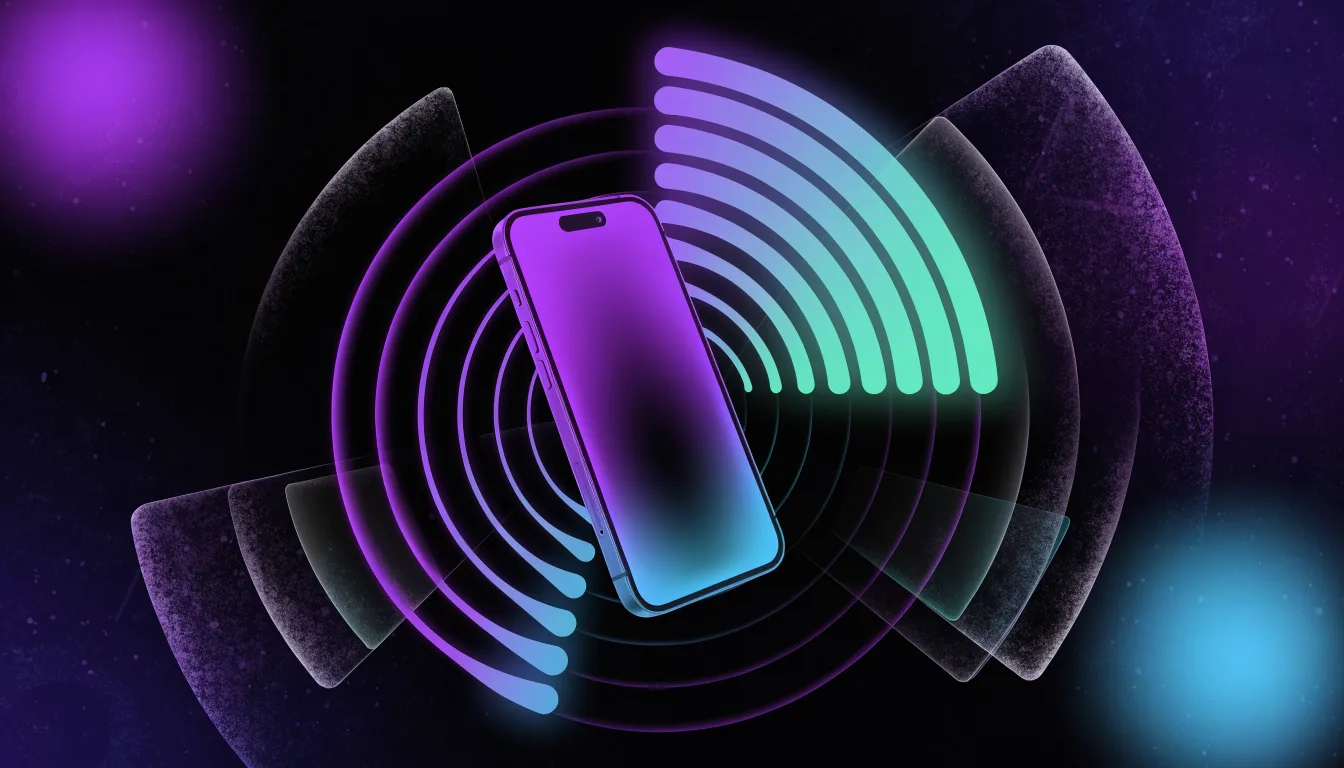
Song Dynamics is a new Song IQ setting that shows a song's tempo, key, and loudness right alongside its name. Instead of pulling metadata from a catalog, it measures everything live through your phone's mic. That makes the readings useful both to curious listeners who want to know how a track is built and to DJs, producers, and audio engineers.
Song IQ has always answered one question: what is this song? Song Dynamics adds three more: how fast is it, what key is it in, and how loud is it playing?
Because the values come from the audio that your mic hears, they describe the exact version playing in front of you. A live recording, a remaster, or a song played over a venue's speakers gets its own reading, which is something a catalog listing for the studio version can never give.
What You'll See
Song Dynamics gives three values for each song:
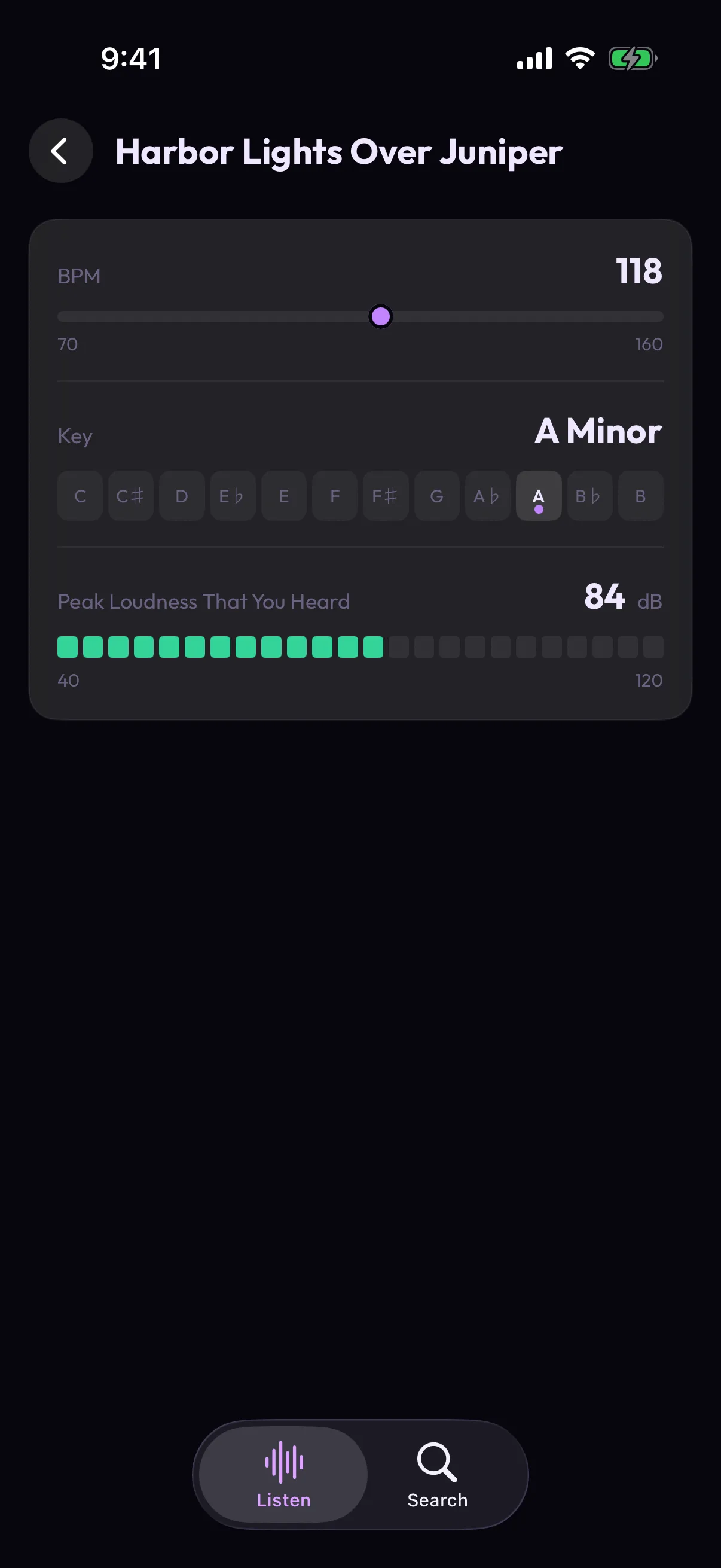
BPM is the tempo, in beats per minute. It tells you how fast a song moves and makes it easy to compare two tracks side by side.
Key is the musical key the song is in, such as A minor or E major. It helps when you're playing along, learning a song by ear, or matching tracks that blend well together.
Peak dB is the loudest level the mic picked up while listening, showing how loud the song when your phone mic was listening.
Song Dynamics also shows where in the song the reading was taken. A quiet intro and a loud chorus produce very different numbers, so the timestamp tells you which section of the track those values describe.
While Listening
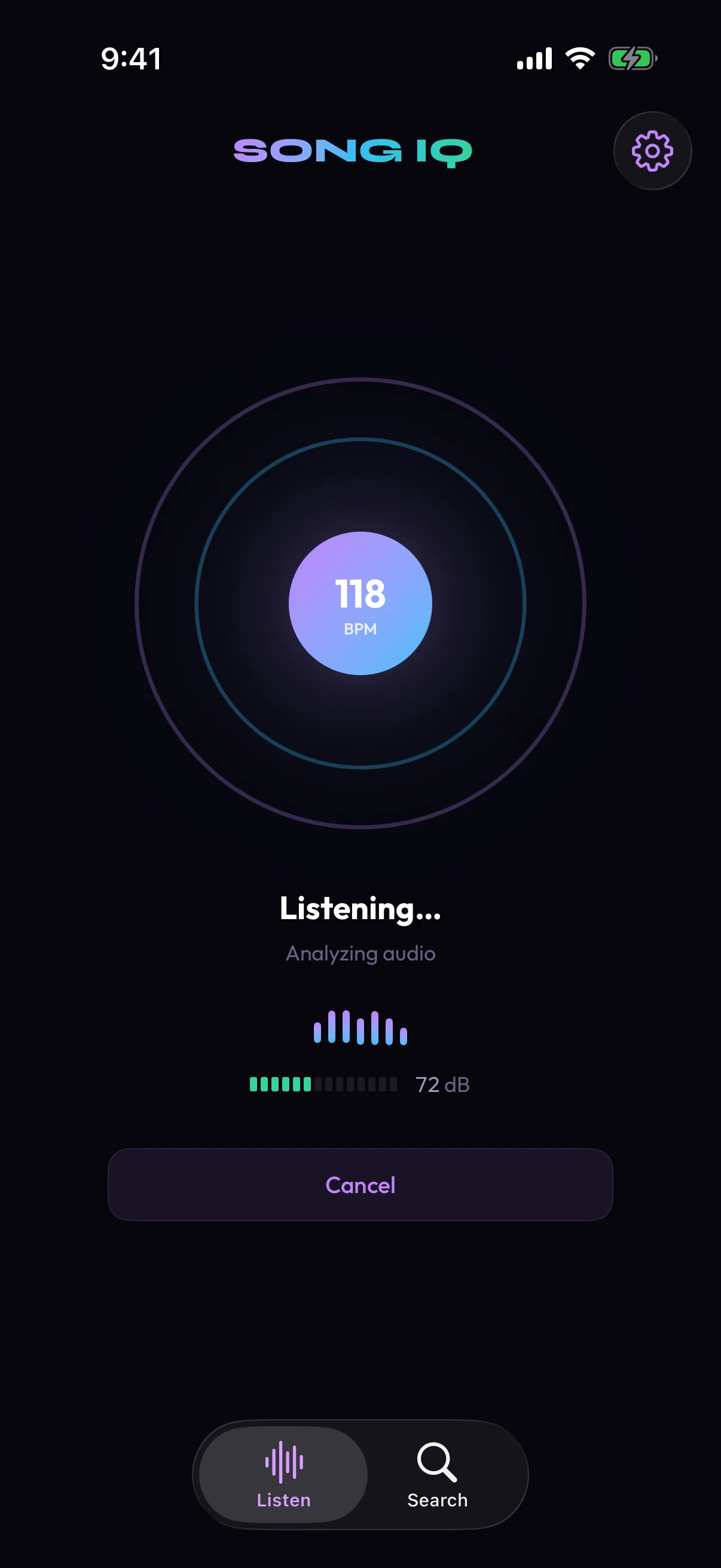
With Song Dynamics on, the listening screen changes in three ways. The center circle displays the live BPM as Song IQ measures it, and the circles pulse in time with the beat so you can see the tempo as well as read it. Meanwhile, a loudness meter with a live dB readout sits under the sound bars and moves with the music.
The song's name appears as soon as it is found, just like before. The app then keeps listening for a few more seconds to settle the BPM and key.
On the Song Page
With Song Dynamics on, every song page includes a Song Dynamics card showing the BPM, key, and peak dB. It uses the same section label and style as the rest of the page, sitting naturally alongside the lyrics and the artist's story.
If you open the song page before the BPM and key finish locking in, the card pulses on the beat until the numbers appear. They fill in automatically.
Tap the card to open the dedicated Song Dynamics page. Titled with the song's name, it brings together the BPM, key, peak loudness, and song position in one place—giving you a quick way to check every value at once or compare one track against another.
Turning It On
Song Dynamics is off by default, so Song IQ works the same as before until you switch it on. To try it, open Settings in Song IQ and toggle on Song Dynamics.
Song Dynamics is available for all users including the free plan users.
Good to Know
BPM range: Song Dynamics displays tempos between 70 and 160 BPM. Because tempo detection can sometimes count a song at double speed, any reading above that range is automatically halved—so a track measured at 182 BPM shows as 91.
Room acoustics: Remember that everything runs through the mic, readings reflect the room you're in, not how the track was mastered in the studio. A song heard across a room and the same song heard next to a speaker will give different dB readings.
Timing: Give it a moment after a match. While Song IQ names a track almost instantly, locking in a reliable tempo and key takes up to 10 seconds of extra listening.